Dog Breeding Software That Matches How Breeders Actually Work
Last Reviewed: May 16, 2026. Written and reviewed by the BreederHQ Operations Team, working with active dog breeders and reproductive veterinarians.
Most "breeder apps" are a digital filing cabinet. You enter the same data in three places. Heat dates live in your phone calendar, the breeding contract lives in a Word document, and the deposit lives in your Stripe dashboard. Nothing knows the deposit on March 4 was for the puppy out of the litter you planned around the heat in October.
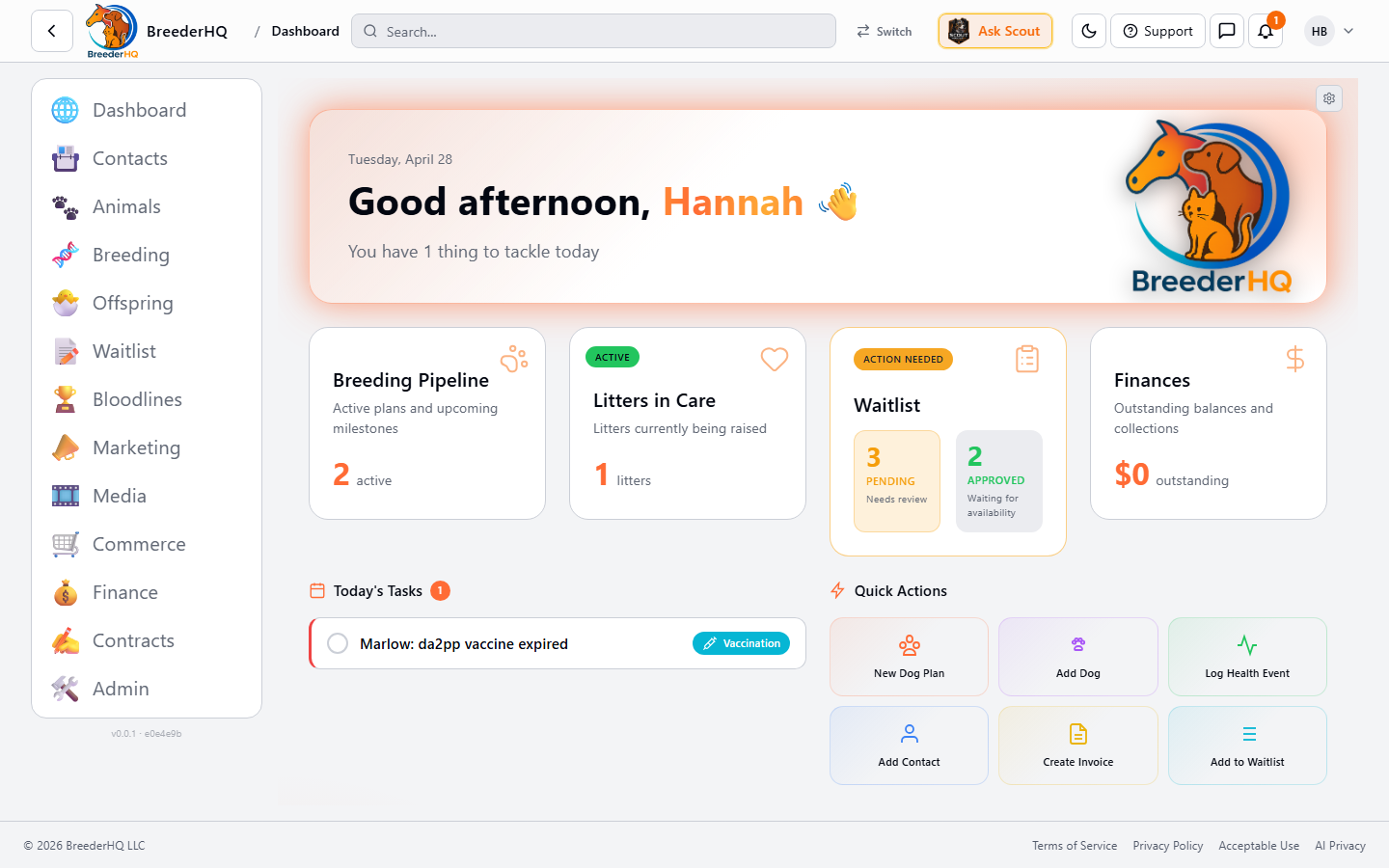
BreederHQ is built the other way. The heat date, the breeding, the litter, the waitlist, the contract, and the deposit are one chain. Update any link and the rest move with it.
Why Dog Breeders Look for Better Software
Breeders usually start looking after one of these has happened:
- • Missed a heat because the calendar reminder was set to a generic six months and the dam cycles every five
- • Got two deposits for the same puppy because the spreadsheet hadn't been updated
- • Couldn't find last year's contract for a returning buyer who wanted a second puppy
- • Sent the wrong go-home date to half the litter's buyers
- • Forgot which buyer was approved and which was still on the waitlist
- • Ran a litter through Venmo and now can't reconstruct who paid what
- • Watched a serious buyer walk away because their fourteenth email went unanswered for a week
The pattern is the same: the data exists, it just isn't connected. The buyer email exists in Gmail, the deposit exists in Stripe, the puppy exists in a spreadsheet, and none of them know about each other.
What Most Dog Breeders Are Using Today
Spreadsheets, One Per Litter
One tab per dam, one workbook per year, a separate sheet for the waitlist, a fourth for finances. Works until a buyer asks "is my deposit still good for the next litter" and you have to cross-reference three tabs to answer.
A Calendar App and a Notebook
Heat dates go in iCloud or Google Calendar. Breeding notes go in a paper notebook. The notebook is searchable only by flipping pages. The calendar doesn't know about the notebook.
A Generic CRM
Hubspot or Trello bent into a buyer pipeline. Decent for tracking conversations. Has no concept of a dam, a heat cycle, a litter, or a puppy. Every workflow has to be rebuilt by hand and rebuilt again every time the program grows.
A Single-Purpose Breeder App from 2012
Knows what a pedigree is. Doesn't have a client portal, a payment processor, or a waitlist. Looks like Windows XP. Useful for pedigree printouts and not much else.
Stripe Plus Docusign Plus Gmail
Three good tools that don't know about each other. Every transaction is a manual reconciliation between the three.
Why the Stack of Tools Falls Apart
The Tools Don't Know the Chain
Heat date determines breeding window. Breeding date determines whelping date. Whelping date determines go-home date. Go-home date determines when waitlist deposits convert to balance payments. If those five facts live in five different tools, you are the integration.
Memory Is the Single Point of Failure
"I think she came in around the second week of October." "Was that the buyer with the male preference or the female preference?" When the answer lives in your head, the answer eventually goes missing.
Buyers See the Disorganization
The buyer who has to email twice to find out if their application was received goes elsewhere. The buyer who gets a different go-home date than her littermate's buyer wonders what else is wrong. Buyers compare notes.
Growth Multiplies the Failures
One litter a year is manageable in a notebook. Four litters a year across three dams with overlapping waitlists is not. The system that worked at one litter becomes the bottleneck at four.
Records Don't Exist When You Need Them
A puppy comes back at age four with a health concern. The contract said you guarantee against certain genetic conditions. Can you produce the dam's OFA results, the sire's clearances, the contract the buyer signed, and the breeding date? If those five documents are in five places, the answer is "maybe."
What Proper Dog Breeding Software Has to Do
Track the Reproductive Pipeline End to End
- • Heat cycle prediction for each dam based on her actual history
- • Progesterone testing log with trend chart and breed-zone window
- • Breeding records that auto-calculate whelping date
- • Litter records with per-puppy weights, color, sex, and markings
- • Go-home dates that move with the whelping date
Connect Buyers to the Right Puppy
- • Puppy applications with the questions you actually ask
- • Waitlist position visible to the buyer without you having to message them
- • Approval and rejection workflows with audit trail
- • Deposit tied to a specific litter, not a generic placeholder
- • Contract signed in the portal, not bounced through email
Carry the Health and Genetics Story
- • OFA, PennHIP, Embark, and other lab results stored against the right dog
- • Pedigree with automatic coefficient of inbreeding
- • Vaccination records for the dam and each puppy
- • Health report exportable as a PDF for the buyer's vet
Handle the Money Without a Separate Stack
- • Invoices for deposits and balances
- • Buyer pays through the portal, money lands in your account
- • Expense tracking against the litter, the dam, or the program
- • End-of-year financial summary for the breeder, not a generic profit and loss
Stay Useful When the Program Grows
- • Multiple dams, multiple sires, overlapping litters
- • Co-breeders, vet partners, and handlers with appropriate access
- • Search across years of records in seconds
- • Reports that summarize a program at a glance
How BreederHQ Does It
Each dam has a heat cycle history that drives prediction for the next cycle. Each prediction surfaces the progesterone testing window when she comes in, with a trend chart that uses her name and tells you when to test next. Each breeding ties to a litter. Each litter ties to a waitlist. Each approved applicant ties to a specific puppy. Each puppy ties to a contract, a deposit, a balance, and a go-home date that move together if anything changes.
Pro and Enterprise plans add Scout AI Repro Insight, an on-demand assessment that compares a current cycle to past cycles and flags split heats or anomalies. Breed clubs get a separate set of tools for member directories, automatic offspring registration, and health compliance tracking.
Free tier covers a single program. Pro and Enterprise scale up from there.
Who BreederHQ Is Built For
- • Active dog breeders running at least one litter a year
- • Breeders who run a waitlist and take deposits
- • Breeders who use progesterone testing for breeding timing
- • Breeders with more than one dam to track
- • Breeders who want buyers to interact with a portal rather than a personal email thread
- • Breeders who want their records to survive a phone replacement, a computer crash, and a tax audit
Who Probably Doesn't Need This
- • Someone breeding one litter ever, as a one-time experience
- • A pet owner who wants to track a single dog's vet visits
- • A program where the existing notebook genuinely works and nothing falls through the cracks
- • A breeder who doesn't want buyers to have a portal and prefers everything by phone
If the current system works, the current system works. Most programs find the breaking point somewhere between the second and the fifth litter.
Frequently Asked Questions
Is BreederHQ actually built for dog breeders, or is it a general animal app?
It runs on a shared platform across species, but the dog workflows are first-class. Canine heat cycle prediction, progesterone trend charts with the dam's name in the coaching message, whelping date math from breeding date, puppy waitlists, deposits, contracts, and the puppy go-home checklist are all built around how dog breeders actually work. Cats, horses, goats, rabbits, and sheep are supported too, but the canine pipeline gets the most species-specific tooling.
Do I have to move all my records in before I can use it?
No. Most breeders start by entering one upcoming heat or one current litter and grow from there. Pedigrees, health tests, and historical breedings can be backfilled when you have time. The system is useful from the first record forward.
What about my buyers and waitlist? Do they need accounts?
You can run the full client portal without forcing buyers to do anything technical. They get an email with a magic link, fill in an application, sign agreements, and pay deposits. No app install, no password to forget.
Does it replace my spreadsheet, my contract template, my Stripe, and my email?
Yes, intentionally. The whole point is that heat dates, breedings, litters, waitlist position, deposits, contracts, and communications live in one place that knows they're related. The spreadsheet doesn't know that the deposit on row 14 is for the litter you're planning in row 7.
I'm a small breeder with one litter a year. Is this overkill?
It depends on how organized you already are. If your existing system never drops the ball, you probably don't need this. If you've ever lost a deposit record, missed a heat, sent the wrong contract, or had a buyer email you twice because you didn't respond fast enough, this fixes those failure modes.
Is there a free tier?
Yes. The free tier covers single-program breeders who want to track heats, breedings, and a small waitlist. Pro and Enterprise unlock multi-program features, Scout AI insights, breed club tools, and other features that bigger programs need.