
Invoicing & Expenses, Built for Breeders.
"Did they pay the deposit?" "What's their remaining balance?" "How much have I spent on vet bills this year?"
You already answer these questions every week. BreederHQ keeps the invoices, payments, and receipts organized and connected to the animals and breeding plans they belong to, so the answer is always a quick look away.
You already run this like a business. Here's where it gets complicated.
You care about the numbers. The challenge is keeping them organized across multiple animals, breeding plans, and payment methods:
- •Handwritten deposit logs that don't sync with anything
- •Venmo payments with no record of what they're for
- •Expenses scattered across receipts, bank statements, and memory
- •No easy way to see if an offspring group was profitable until tax time
- •Awkward conversations confirming what a client owes and what they've already paid
Generic accounting software doesn't speak breeder. It doesn't link invoices to specific litters or offspring groups, track deposits by waitlist position, or show revenue per breeding plan.
Professional Invoicing for Breeders
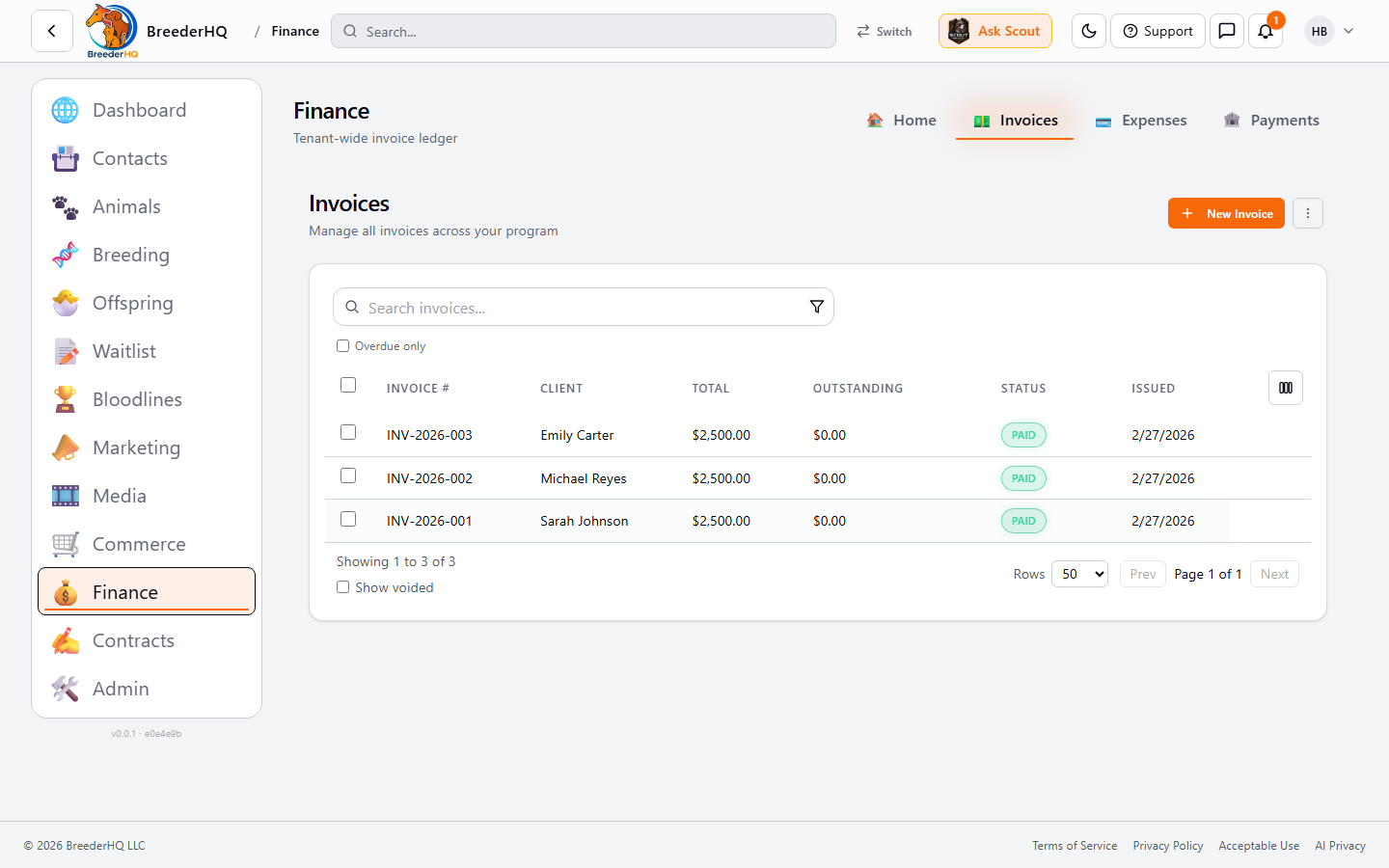
Create clear, professional invoices that clients can understand and pay:
Invoice Line Item Types
📄 Invoice Status Tracking
- Draft: Working on it, not sent
- Issued: Sent to client
- Partially Paid: Some payment received
- Paid: Fully paid
- Overdue: Past due date
- Void: Canceled
🔗 Link to Breeding Data
- • Anchor invoices to specific animals
- • Link to offspring groups (litters, foals, kids, lambs, kits)
- • Associate with breeding plans
- • Connect to service codes
- • Attach supporting documents
💳 Stripe Integration
Connect your Stripe account for seamless online payments:
- • Create Stripe invoices directly from BreederHQ
- • Clients pay via link in email or portal
- • Automatic payment status sync
- • Download PDFs for signed invoices
- • Void invoices when needed
Track Every Payment Method
Clients pay however is convenient for them. BreederHQ tracks it all:
Each payment record includes date, amount, method, reference number (for check numbers, transaction IDs, etc.), and automatic invoice balance updates.
Know Where Your Money Goes
Track every breeding expense with categories designed for your business:
🏥 Veterinary
Exams, testing, procedures, medications
📦 Supplies
Birthing supplies, collars, halters, crates
🍖 Food
Kibble, raw, supplements
✂️ Grooming
Professional grooming, supplies
🧬 Breeding
Stud fees, live cover, artificial insemination, embryo transfer
🏠 Facility
Barns, kennels, fencing, utilities
📣 Marketing
Website, photos, advertising
👷 Labor
Help, training, contractors
🛡️ Insurance
Liability, health, property
📋 Registration
Registry fees, microchips, licenses
🚗 Travel
Shows, pickups, vet visits
📁 Other
Everything else
Expense Features
- • Link expenses to specific animals or breeding plans
- • Track vendor information
- • Attach receipt images (upload or camera capture)
- • Filter by date range, category, animal
- • Export to CSV for tax prep
📱 Log Expenses On the Go (Mobile Companion)
The BreederHQ Mobile Companion app makes expense capture something you can do the moment it happens — exactly the kind of away-from-the-desk task it's built for. Walk out of the vet, the feed store, or the show grounds and have the receipt filed before you're back in the truck:
- • Snap a photo of the receipt with your phone camera
- • Enter the amount, category, and which animal or breeding plan it belongs to
- • Food purchases can link to a Food Product so nutrition costs roll up automatically
- • Syncs instantly to the web so everything is in one place for tax time
See Your Financial Picture at a Glance
The financial dashboard gives you instant visibility into your breeding business:
Dashboard Metrics
📊 Breeding Plan Financial Rollups
Each breeding plan shows aggregated financial data:
- • Total revenue per offspring group
- • Deposit timing analysis (before/after birth)
- • Average price per offspring
- • Expenses linked to the breeding plan
- • Profit and loss visibility
Mileage Logs That Know Where You Went and Why
Mileage usually lives in a spreadsheet or an old app with no destinations, cut off from the buyers and animals the trips were for. BreederHQ keeps a proper vehicle log inside your finances, so the trips are tied to your records.
🛣️ Log Every Business Trip
- • Log trips per vehicle by entering miles or odometer readings
- • Record a destination and a purpose from a fixed list, the kind of log the IRS expects
- • Import existing logs from Breeder Cloud Pro or a spreadsheet (.csv or .xlsx)
- • Export your trips whenever you need them
🔗 Link Trips to Your Records
- • Link each trip to the animals, buyers or contacts, and breeding plans it was for
- • See those trips on the animal, contact, and breeding plan records
- • Keep the destination and purpose with the buyer or animal, not in a separate spreadsheet
IRS Standard Mileage Rate, by Trip Date
Each trip is valued at the IRS standard mileage rate in effect on the date you drove it. Rates are tracked by effective date, so a mid-year change is handled for you. In 2026 the rate was 72.5 cents per mile through June 30 and 76 cents from July 1, and trips on either side of that date use the rate that applied.
For US accounts, the vehicle deduction appears as its own line in the Tax Figures on the Tax Year P&L. It is shown for reference and is not subtracted from your profit. Fuel stays a Travel expense.
📱 Log Trips From Your Phone
Log a trip in the Mobile Companion app when you get back to the truck, even with no signal. Offline trips sync when you are back online.
- • Add vehicles in the web app, then log trips against them from your phone
- • Trips logged on your phone appear in the same mileage log on the web
Clear Numbers, Connected to Your Animals.
Invoicing, payments, and expenses in one place, with mobile receipt capture so the paperwork keeps up with you.
Frequently Asked Questions
What payment methods can I track?
BreederHQ tracks Cash, Check, Credit Card, Debit Card, ACH, Wire Transfer, PayPal, Venmo, and Zelle. Each payment can include a reference number for reconciliation.
Can clients pay through the platform?
Yes. With Stripe integration, clients can pay invoices directly through their portal. You can also create Stripe invoices that are sent via email with a payment link.
Does this replace accounting software?
BreederHQ handles breeder-specific invoicing and expense tracking. For full accounting (tax returns, depreciation, etc.), you may still want dedicated accounting software. Data exports make integration easy.
Can I export financial data?
Yes. Export invoices, payments, and expenses to CSV with configurable columns. Works with spreadsheets, accounting software, or your CPA.
Can I log expenses from my phone?
Yes. The BreederHQ Mobile Companion app — the on-the-go partner to the web app — is built for exactly this. Snap a photo of any receipt with your phone camera, enter the amount, category, and which animal or breeding plan it belongs to, and save. Food purchases can link to a Food Product so nutrition costs roll up automatically. Everything syncs instantly to the web app.
Can I track vehicle mileage for my breeding business?
Yes. Log business trips per vehicle by entering miles or odometer readings, with a destination and a purpose from a fixed list. Trips link to the animals, buyers, and breeding plans they were for and show on those records. Each trip is valued at the IRS standard mileage rate in effect on its date, and for US accounts the vehicle deduction appears as a line in the Tax Figures on the Tax Year P&L. You can import an existing log from Breeder Cloud Pro or a spreadsheet (.csv or .xlsx) and export your trips. BreederHQ does not track trips automatically; you log them.
Can I log mileage from my phone?
Yes. Log trips in the Mobile Companion app, including offline. They sync when you are back online. Vehicles are added and managed in the web app.
Can I create invoices from my phone?
No — invoice creation and Stripe invoice management is intentionally a web-app task, where you get the full line-item editor, tax rules, and payment-link workflow. The Mobile Companion is scoped to quick-capture work like snapping receipts, logging expenses, and reviewing invoices on the go. Setup work belongs in the web app; in-the-moment capture belongs in the companion.